


Use AI On Your Terms
Solomon IT helps businesses evaluate, deploy, secure, integrate, and privately host artificial intelligence. From ChatGPT, Claude, and Microsoft Copilot to MCP servers, AI agents, and GPU-powered private infrastructure, we put AI to work while you keep control of systems and data
A clear AI roadmap tied to real workflows - not a software subscription.
Rules for what information AI may see and what it may never touch.
Employee standards so staff use AI productively and within policy.
Private hosting when public AI is the wrong fit for regulated data.
Oak Ridge–based. 96% client retention. Built for healthcare, financial services, CMMC/DFARS environments, and any organization handling sensitive business information.
Why Most AI Projects Stall
Buying a ChatGPT or Copilot license is easy. Getting useful, controlled AI into the business is not. Teams paste client files into public tools. Permissions in SharePoint are too broad. Leadership wants productivity and cannot accept a data leak. Regulated work adds CMMC, HIPAA, GLBA, and DFARS questions that a consumer AI account cannot answer.
Solomon starts in a different place. We decide where AI belongs, what it is allowed to touch, who must approve its output, and whether the work should run in a public service or on infrastructure you control.

Four Outcomes We Design Around
1. AI Strategy & Adoption
We help you decide where AI belongs in the business rather than handing you another subscription.
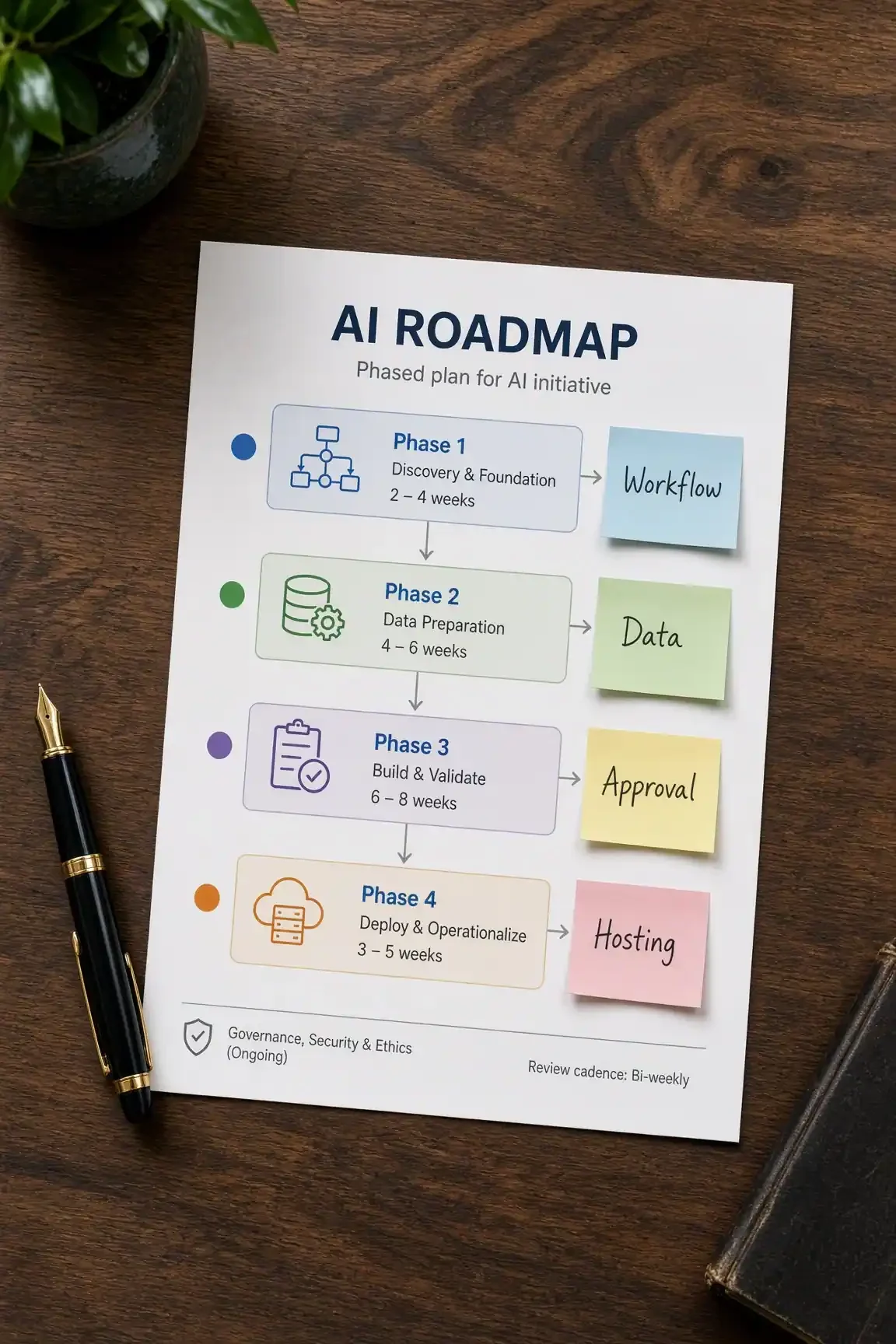
Workflow review to find use cases that save time without creating risk.
Public / cloud AI versus privately hosted AI—chosen against data sensitivity, not marketing.
A written map of what business information AI may access.
Human-approval steps for work that affects clients, contracts, or production systems.
An AI roadmap your leadership team can fund and measure.
Planning that already accounts for healthcare, financial services, CMMC/DFARS, and other regulated settings.
2. AI Integration & Automation
Useful AI lives next to the systems your people already use.
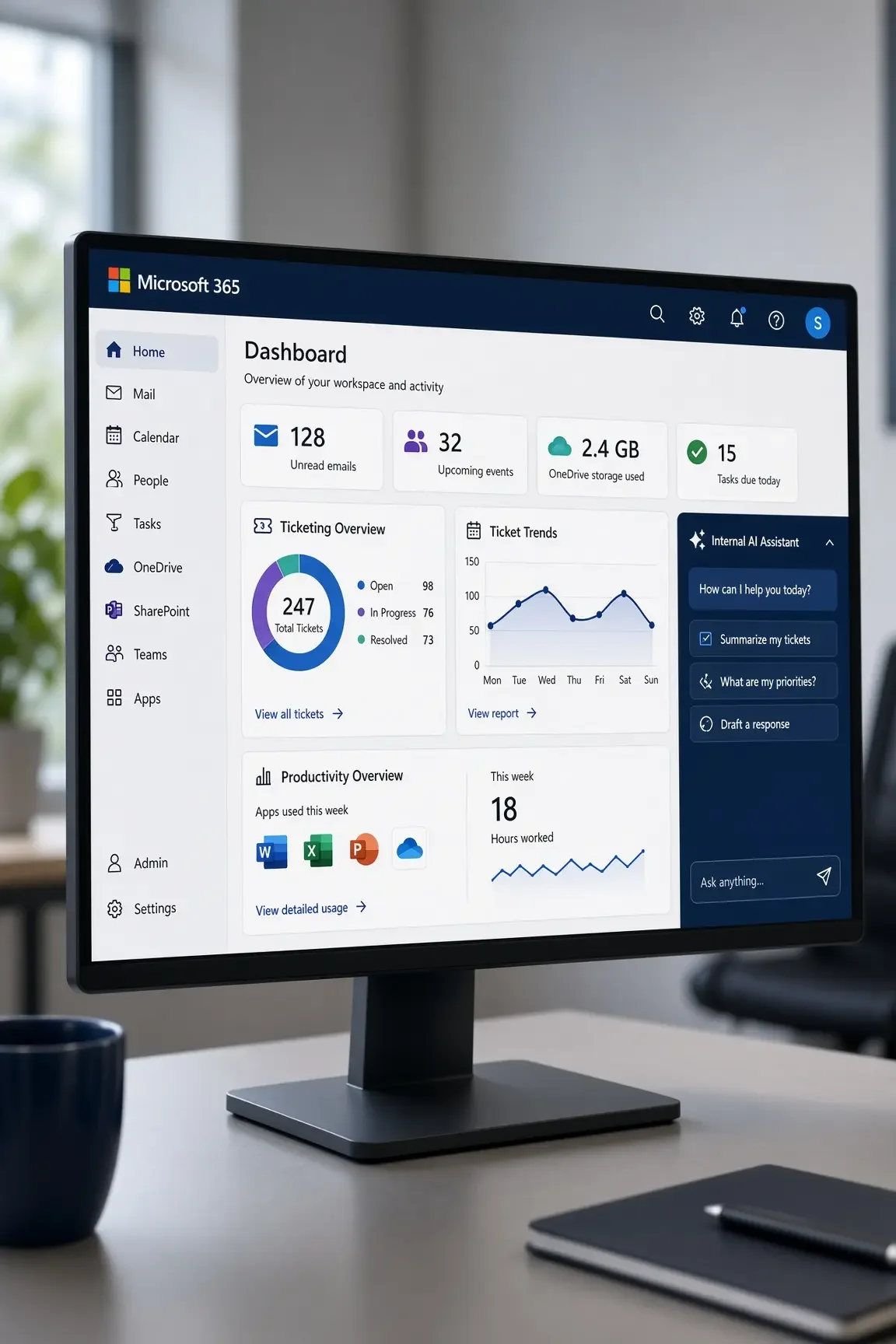
ChatGPT as a business platform: organizational rollout, custom instructions, structured prompting, research, and document analysis.
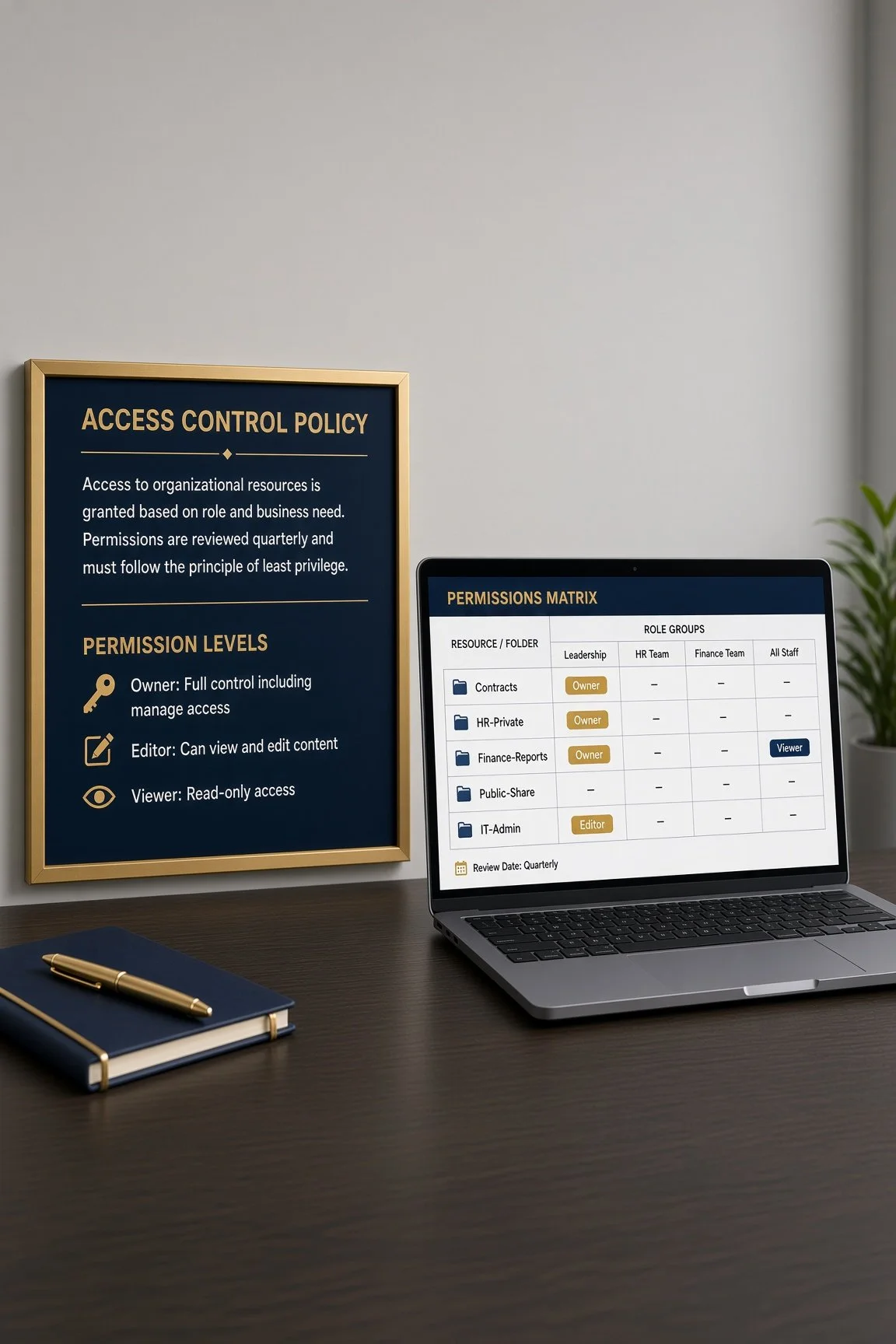
Microsoft 365, SharePoint, and Entra preparation so Copilot sees the right files—and only those files.
Claude and coding agents used against real applications, not isolated snippets: debugging, architecture review, iterative development.
AI connected to ticketing, monitoring, documentation, and internal APIs through approved tools.
Agents that gather authorized information, recommend an action, and wait for a person when the action matters.
Purpose-built AI functions inside your own applications—classification, summarization, review, or recommendations—through APIs, so staff never have to visit a public AI website.
3. Private AI Infrastructure
When data cannot leave your environment, Solomon builds and hardens the platform.
GPU-powered private generative AI on infrastructure you control.
Open-source and commercial-grade models, including Qwen-class models, served through an OpenAI-compatible API.
Coding agents—such as Claude Code or Cline—pointed at your private model instead of a public service.
Authentication, API tokens, TLS, reverse proxying, network segmentation, and firewall controls in front of every AI endpoint.
Operational work that consultants often skip: storage layout, model files, persistent application data, reboot validation, monitoring, and hardening of anything that faces a network.
This is the difference between configuring a chatbot and running AI as a business system.

4. AI Security & Governance
AI security starts with identity, permissions, and least privilege—the same discipline Solomon already applies as an MSP and security partner.
Deep, in-depth reviews of how AI would reach email, files, tickets, and line-of-business systems.
Least-privilege access, network isolation, API security, and logging.
Written rules for cloud versus local inference.
Employee AI standards: approved tools, banned uses, data-handling rules, and escalation paths.
Training so staff gain speed without becoming a shadow-IT problem.
Alignment with CMMC, DFARS, HIPAA, NIST, PCI, and financial-services expectations where those frameworks apply.
MCP: Giving AI Approved Tools, Not The Whole Network
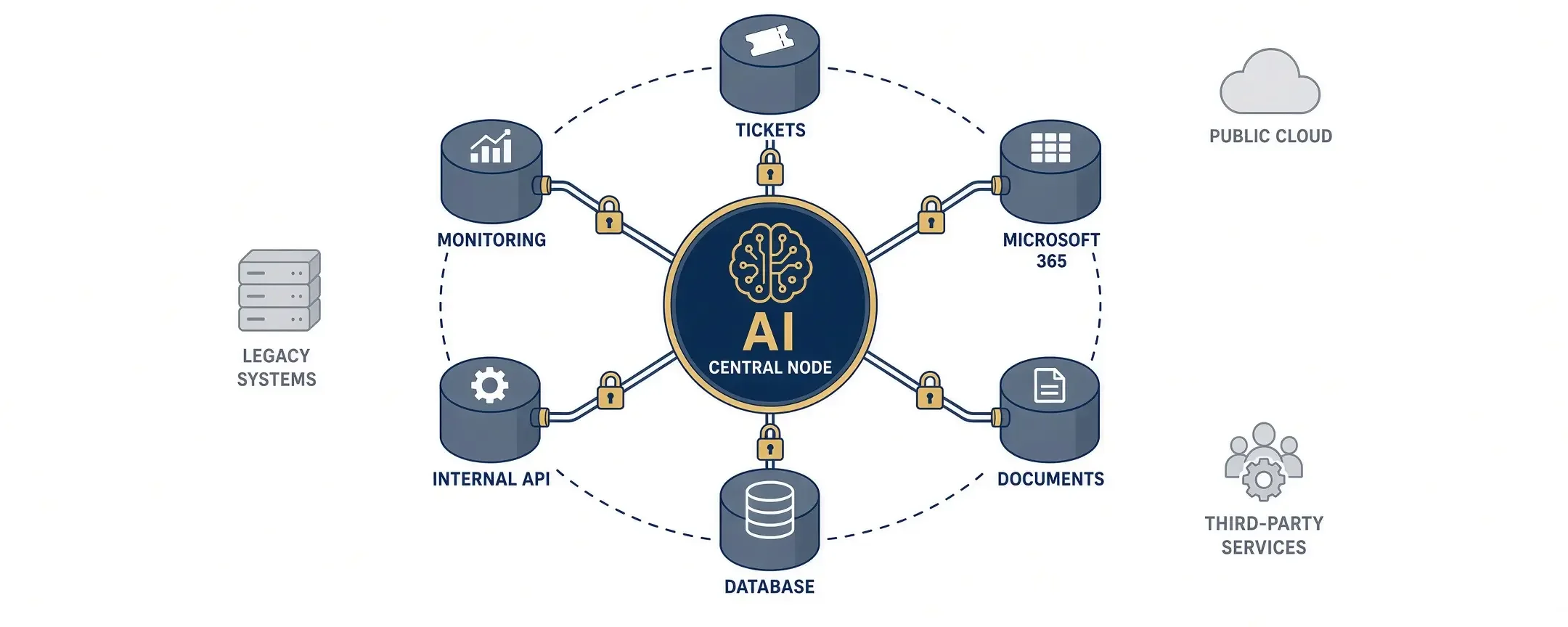
MCP lets AI use approved tools and approved records instead of living only in a chat box. Solomon designs what the model may see and what it may do—ticketing, monitoring, documentation, Microsoft 365, databases, internal APIs, and custom apps—and nothing else. Installing the protocol is the easy part. Authorization is the work.
Private AI can still research the web without open internet access. We use approved search, domain allowlists, blocked private and metadata addresses, and trusted sources such as NIST, CISA, Microsoft, and named vendors. The rule: give AI the information it needs, not unrestricted access.
Employee AI Standards
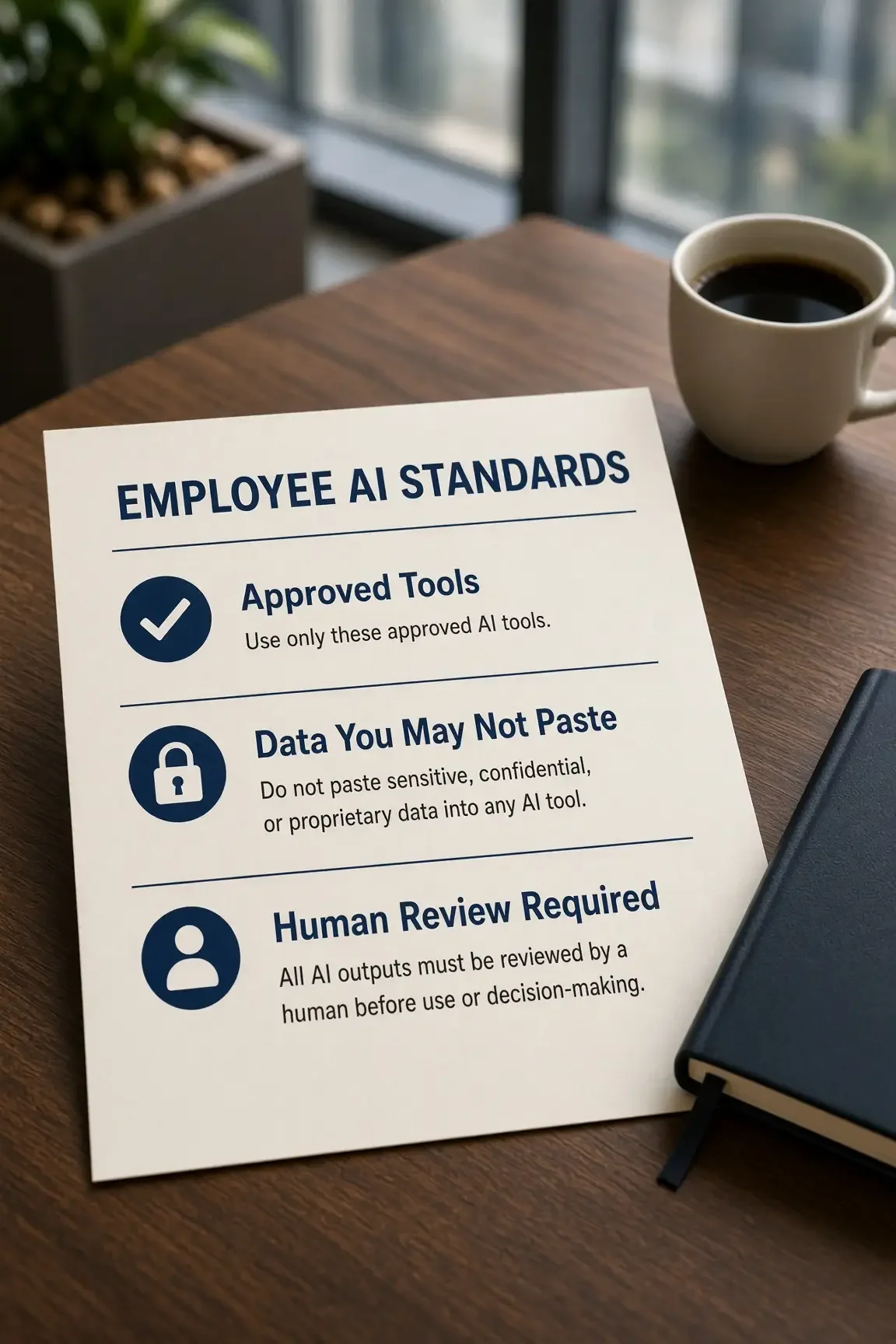
Staff already use public tools. Solomon turns that into a written standard people can follow:
Approved company tools versus personal AI logins.
What may go into a prompt, and what stays in your tenant or private model.
Human review before output reaches a client, regulator, or production system.
Role-based access for finance, clinical, and CUI data.
Short training plus a review cycle as tools change.
The Technology Mix We Evaluate
ChatGPT / OpenAI · Claude / Claude Code · Microsoft Copilot, 365, SharePoint, Entra · coding agents such as Cline · Qwen and other open-source models · privately hosted GPU models · MCP · custom agents and APIs
How an Engagement Works
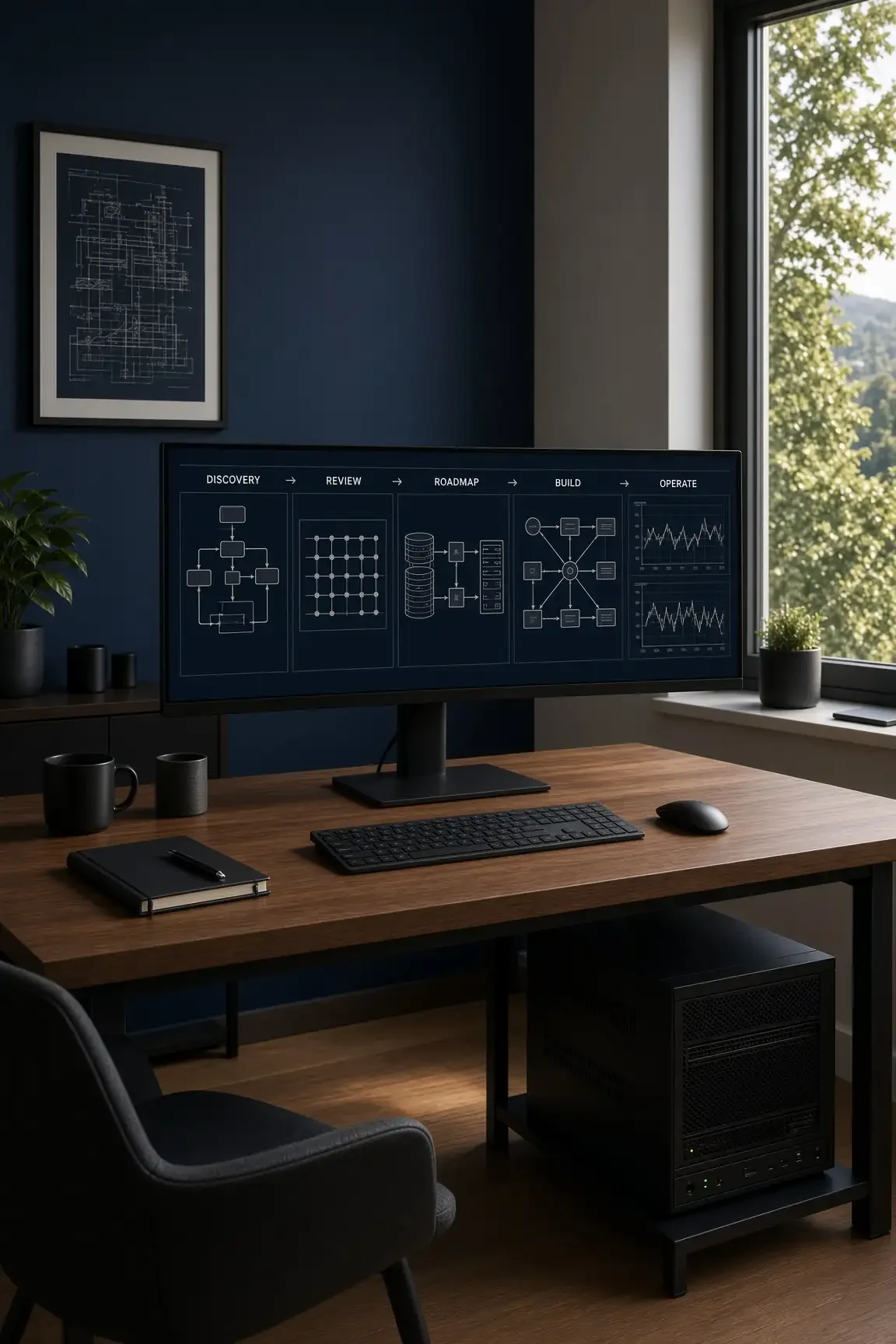
Discovery — workflows, data that cannot leave, and the outcome you want.
In-depth review — identity, permissions, current and shadow AI use, hosting options, and regulatory constraints.
Roadmap — use cases, tool mix, data-access rules, employee standards, build-versus-buy.
Build — Copilot readiness, ChatGPT rollout, MCP, private infrastructure, or an application function; connect only approved systems.
Operate — monitoring, access reviews, vendor or model changes, and training with the same IT and security team.
Who This Is For, And Why Solomon
Owners who want AI speed without losing control of client or company data.
Healthcare, financial, and professional firms with privacy or examination rules.
DoD and DoE contractors under CMMC, DFARS, and CUI requirements.
Manufacturers and firms whose code, drawings, or pricing cannot sit in a public model.
Leadership that needs employee standards before unofficial AI use becomes the default policy.
Solomon already serves as your IT and security partner —vCIO/vCISO, CMMC, HIPAA, NIST, PCI — not a standalone AI shop. We have built and operated private GPU AI, pointed coding agents at privately hosted models through an OpenAI-compatible API, and designed MCP around authorization. Oak Ridge headquarters. Clients in Knoxville, Sevier County, East Tennessee, and nationwide. 96% client retention. Named engineers. Relationships first, proven by results.
Technology should make the business better. AI is no exception.

Frequently Asked Questions
-
No. Copilot may fit Microsoft 365 work, a private model may fit source code or CUI, and ChatGPT or Claude may fit research and drafting. We set the mix and the boundaries.
-
Yes. We define what may go to a public service, what stays in your Microsoft tenant, and what runs on private infrastructure. In CMMC, HIPAA, and financial settings, AI is treated as another in-scope system.
-
Generative AI on hardware you control: typically a GPU server, an authenticated API, and a locked-down network path. Staff keep a familiar chat or coding interface. The data does not have to leave.
-
Often yes. We can expose an OpenAI-compatible API from a private AI server so that coding agents run against your own model.
-
Yes. Practical standards, short training, and rules tied to the tools and permissions you actually use.
-
Schedule a free AI assessment. We review current use, risk, and whether public tools, Copilot, private infrastructure, or a mix is the honest next step.
Put AI to Work. Keep the Keys.
Tell us the workflow you want to improve and the data you cannot expose. We will come back with tools, hosting, employee standards, and the controls that keep you in charge.